Math · Reading · Spelling · Grades 1 to 6

Every skill. Personalized.

Difficulty, lessons and practice adjust skill by skill, so every session is built for your child. They press one big button; the app has already worked out what today is for.

  • Learn days: a short picture-book lesson, then 15 questions on that one skill.
  • Practice days: the skills they've started, mixed, each at its own level.
  • Re-teach days: when a skill is stuck, the lesson comes back, with easier questions.

For iPhone and iPad. Coming to the App Store. Level 1 of every subject is free, forever.

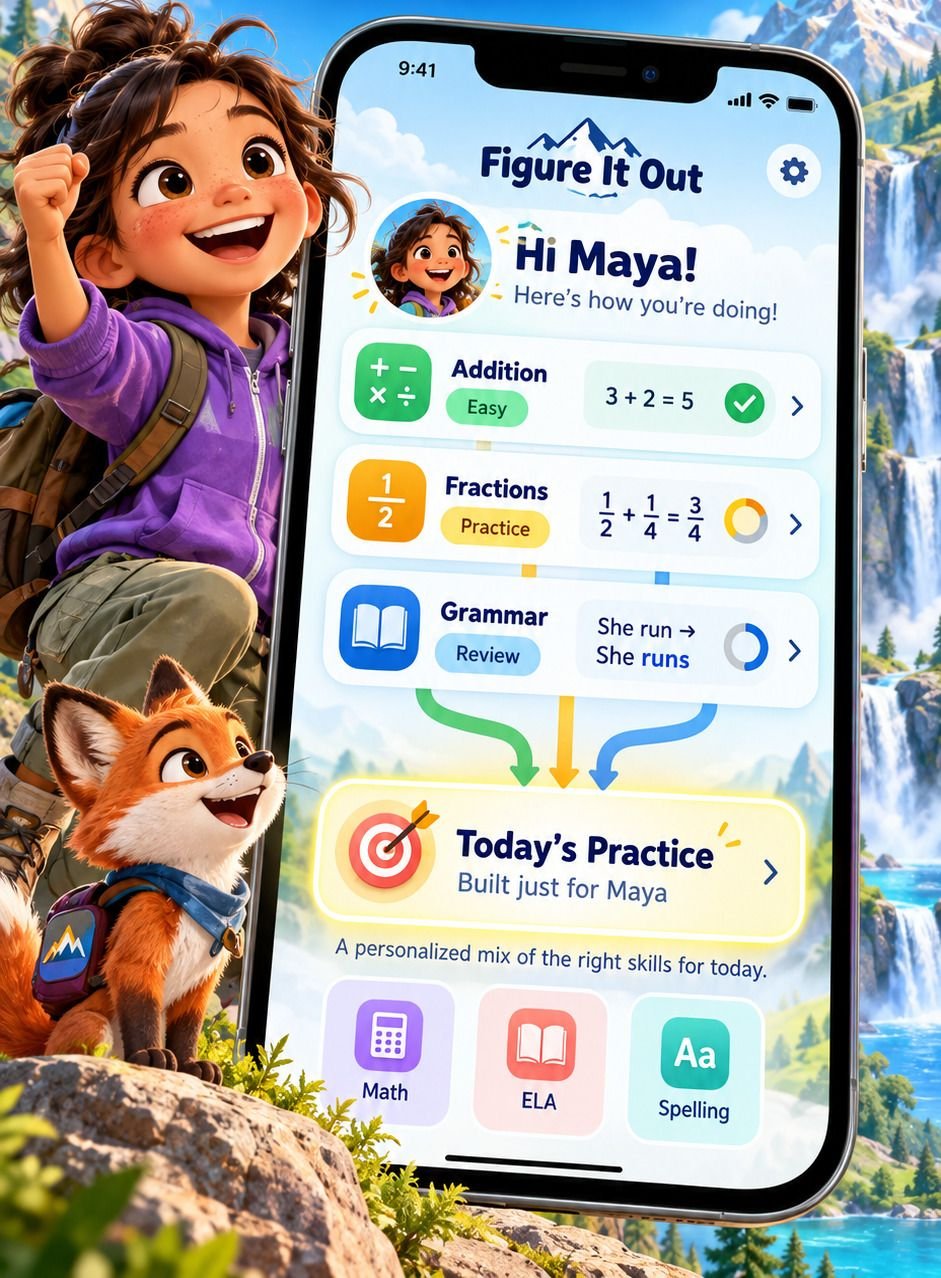
The app's home screen for Maya: Addition, Fractions and Grammar, each at its own stage, flowing into one Today's Practice button.

Easy, Medium, Hard

Practice that grows with them.

Each skill starts at the right level and gets harder as your child improves.

  • Every skill has its own Easy, Medium and Hard questions, so a strong skill moves ahead while a new one starts gently.
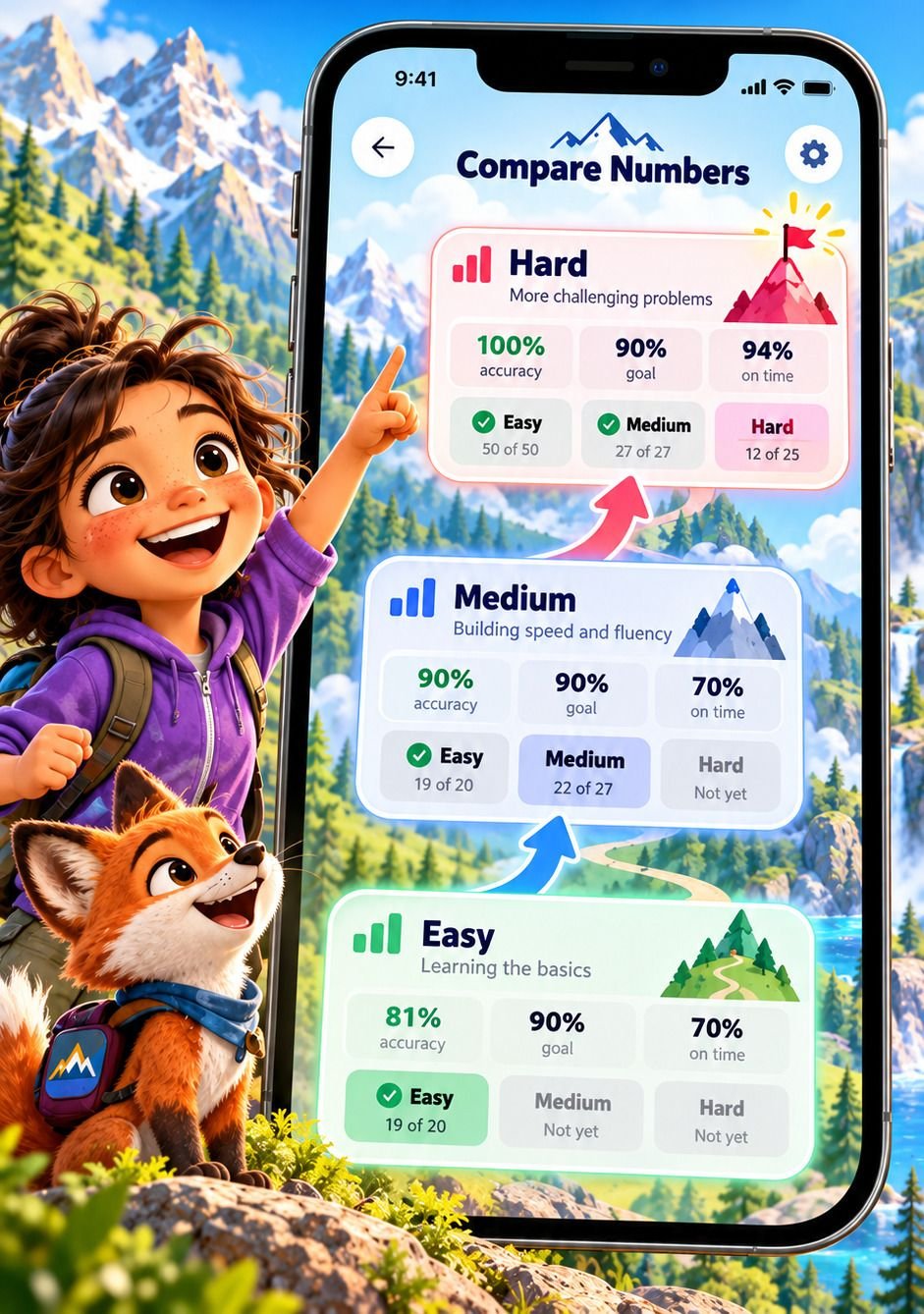
  • Easy is passed at 90% right with most answers in time. Medium and Hard need 90% right, with no clock.
  • Each step is judged on your child's latest 20 answers, so one bad day never undoes a good week.
One skill's Easy, Medium and Hard steps climbing a mountain, each with its accuracy, goal and on-time numbers.

From lesson to mastered

See each skill's path to mastery.

Follow every skill from its first lesson to mastery, and the review checks that keep it there.

  • Math and reading skills start with a picture-book lesson: 642 of them, each in Easy, Medium and Hard parts.
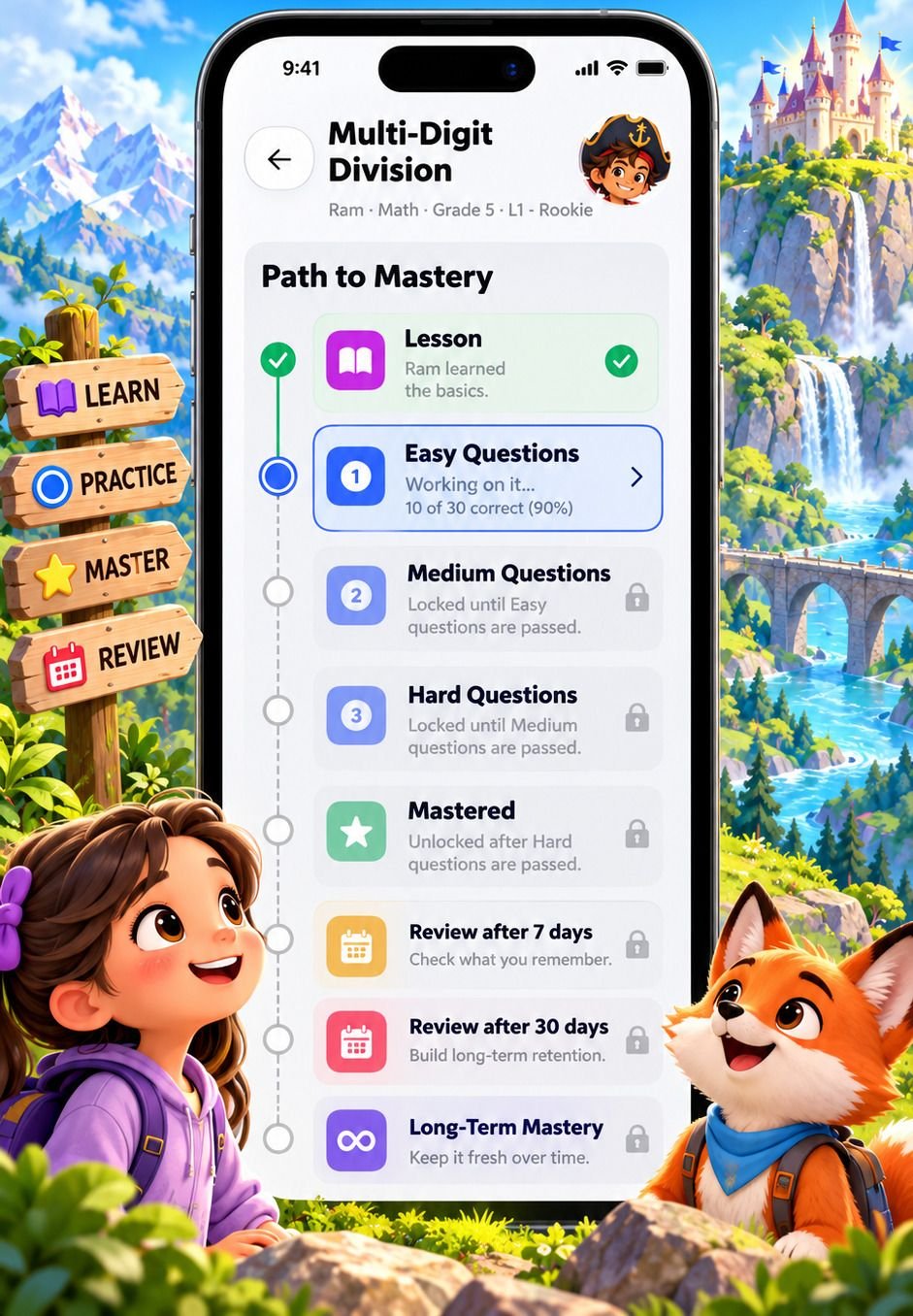
  • Mastered skills come back for a quick check 7, 15, 30, 60 and 90 days later.
  • When every skill in a level is ready, the Level Test opens. Passing it opens the next level.
A skill's Path to Mastery: the lesson done, Easy questions under way, then Medium, Hard, Mastered and the review checks, each locked until it's reached.

Four worlds

Engaging themes, no sensory overload.

Fun characters, themed worlds and meaningful rewards, designed to keep kids going without overwhelming them.

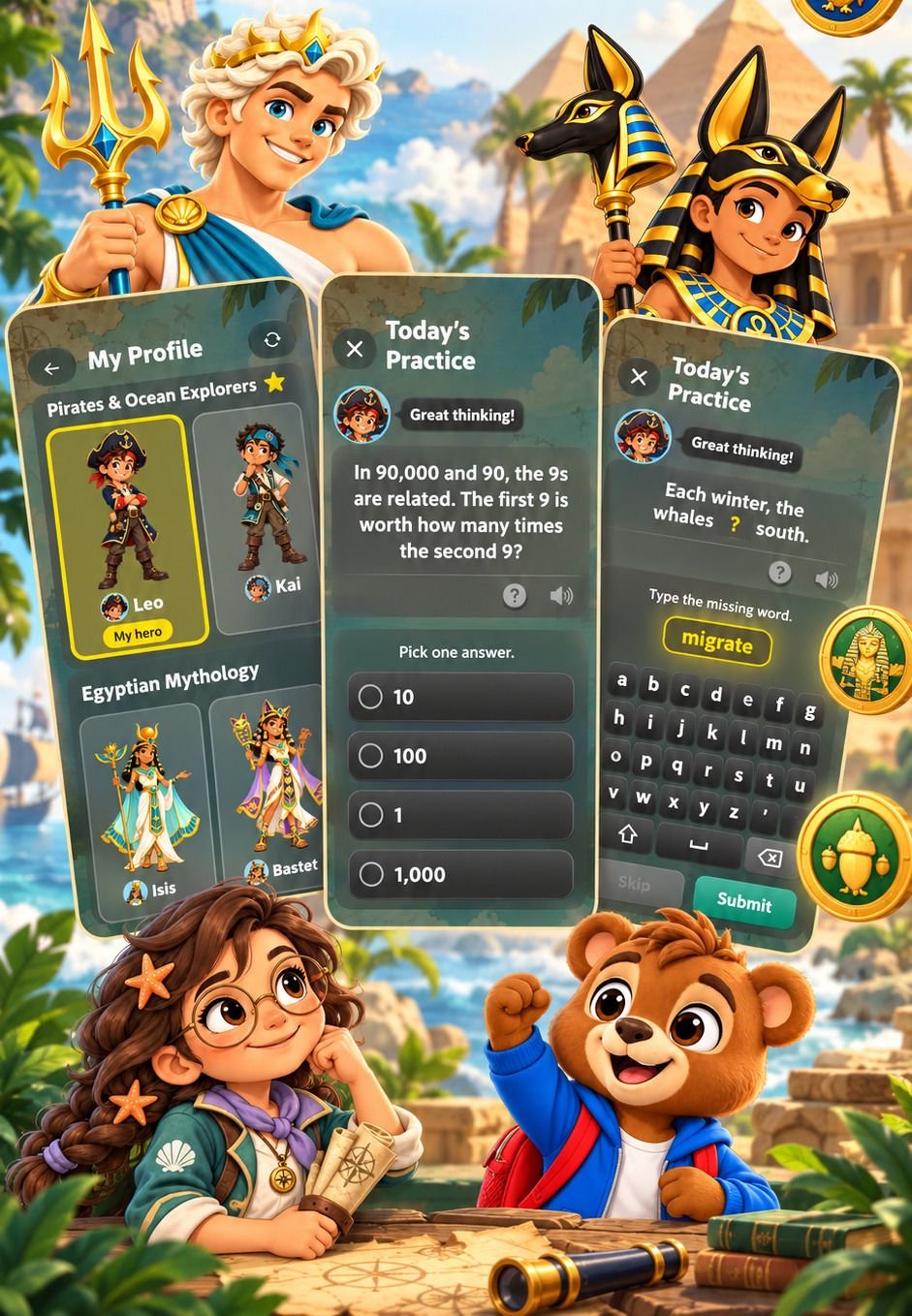
  • Greek Myths, Ancient Egypt, Pirates or Safari. Each world has its own buddies and level names, like L1 - Fighter.
  • Coins for right answers, stars for every session and a daily streak. Coins are never taken away.
  • Calm by design: a soft timer ring with no red and no flashing, and "Oops!" after a miss, never a buzzer.
The character picker and two practice questions, with characters from the Greek, Egyptian and Pirate worlds.

Spelling

Your school words. Smarter practice.

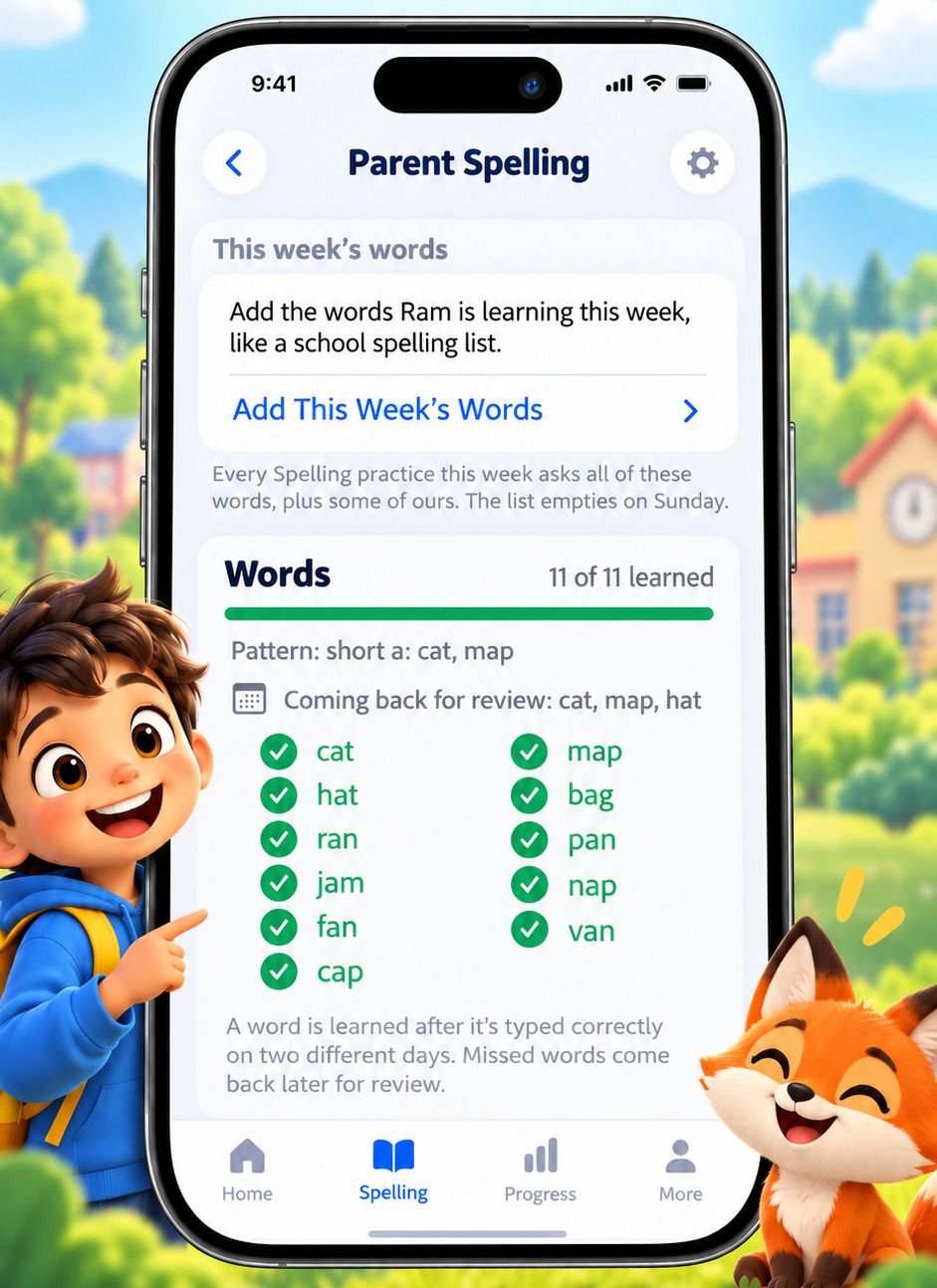
Add this week's spelling list, and the app takes your child from picking the right spelling to writing it from memory.

  • Type or paste up to 40 words. Every spelling session that week asks all of them first.
  • A word counts as learned once it's typed right on two different days. Missed words come back the next day, then 3 days later, then a week later.
  • Plus 216 word lists of our own for Grades 1 to 6, 2,372 words, each list built around one spelling pattern.
The parent's Spelling screen: this week's 11 words, all learned, with the words coming back for review.

Have a go

Try a real question.

These are Grade 2 questions, made the same way the app makes them. Get one wrong and the teacher walks you through it, step by step, with a picture.

The teacher, a friendly professor with white hair and a red bow tie, pointing

When your child needs you

Insights you can act on.

When your child needs attention, the app explains what's happening and gives you clear, practical ways to help.

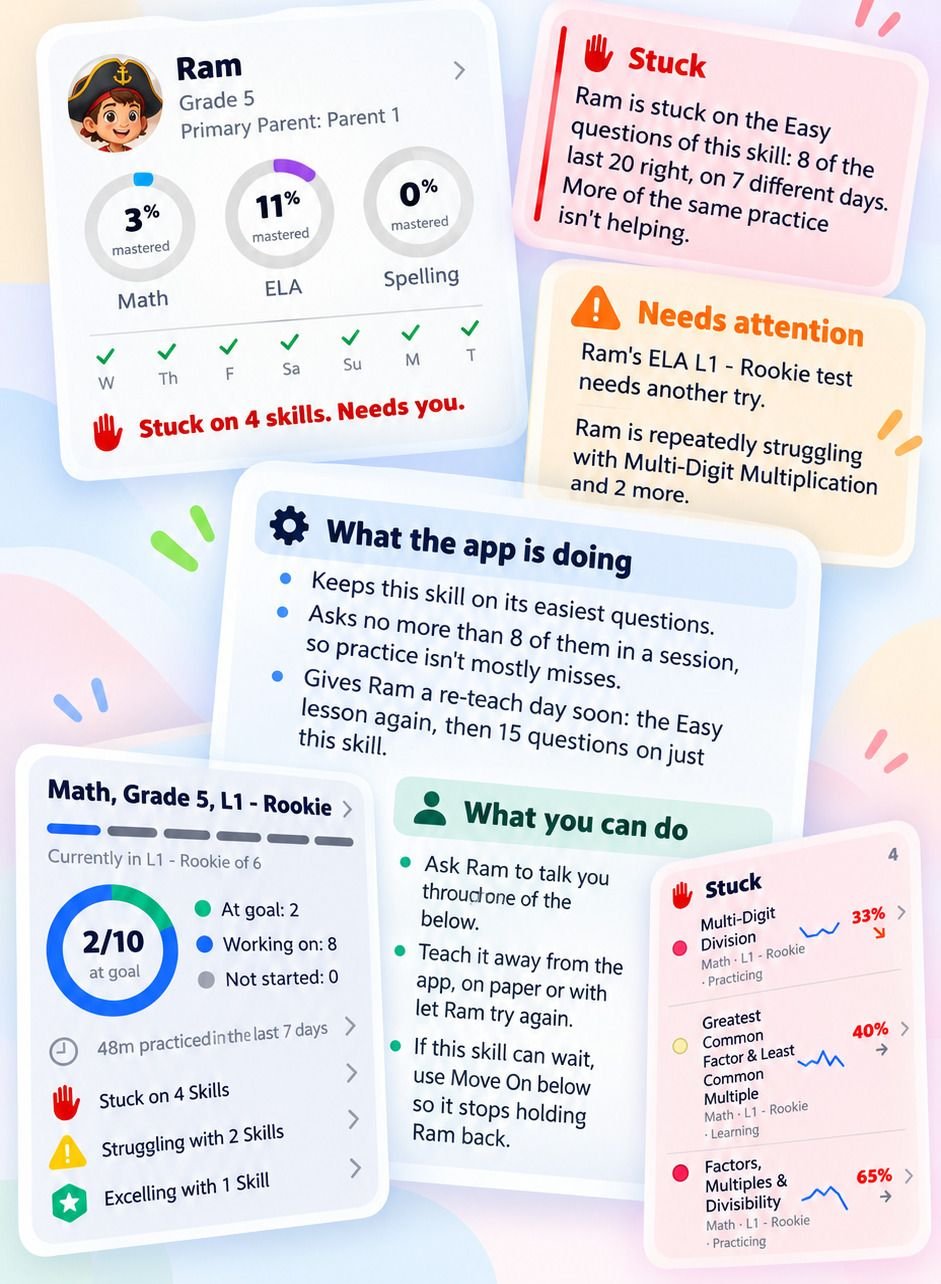
  • "Stuck" means real trouble, not a bad day: 20 or more answers, on at least 3 different days, fewer than 7 in 10 right.
  • The app acts first: easier questions, no more than 8 a session on that skill, and a re-teach day with the lesson again.
  • Then it's your call: talk through a wrong answer, teach it away from the app, or move on from the skill.
A parent's view of Ram: a Stuck card, a Needs attention card, what the app is doing, what you can do, and the skills that need help.

Progress

Track progress. Spot trends. Decide next steps.

See progress across every subject, skill and session, with clear signs of what's improving and what needs attention.

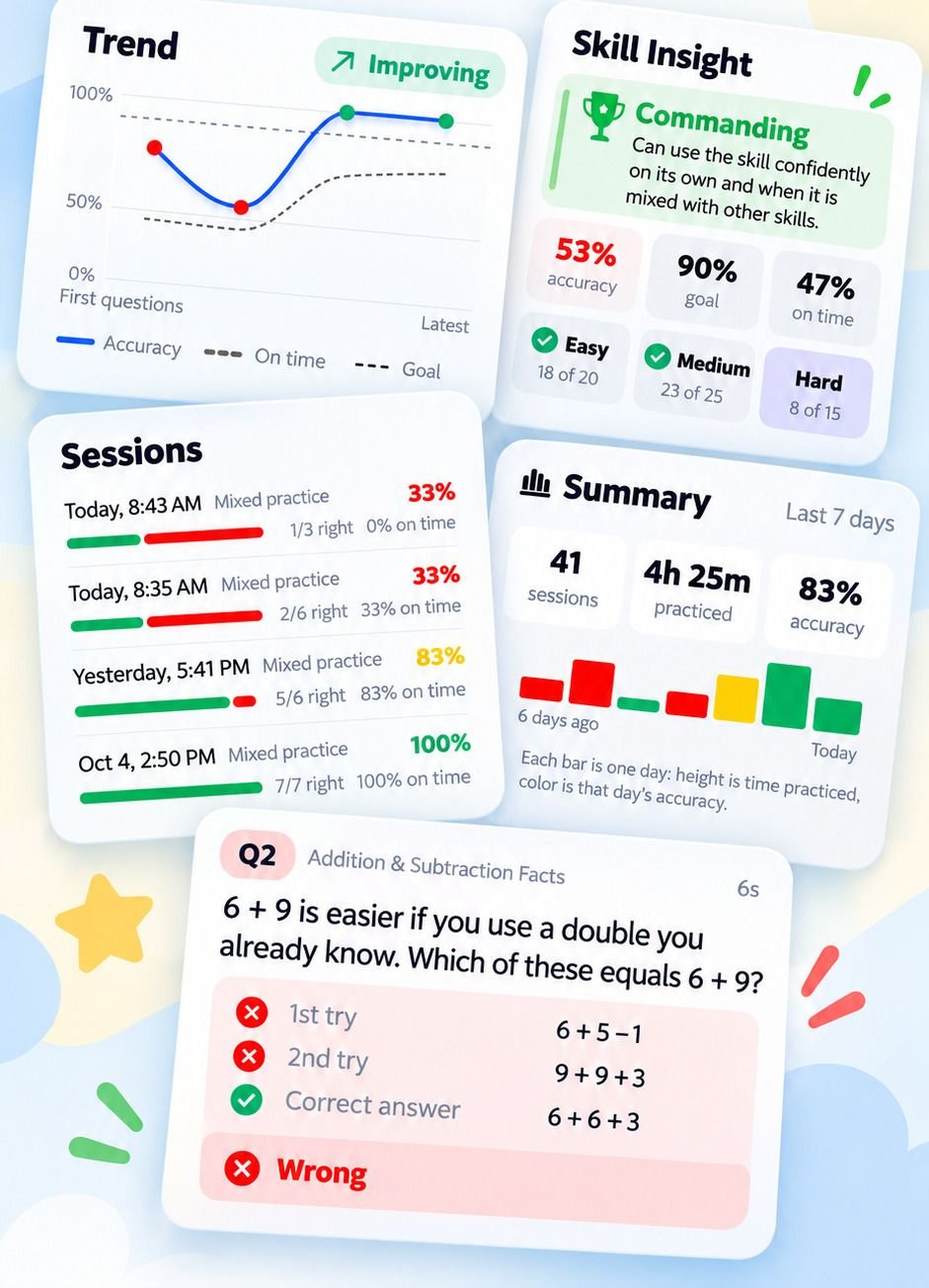
  • A trend for every skill: Improving, Steady or Slipping.
  • Every session, with time practiced and accuracy, for today, the last 7 days or the last 30.
  • Every question from the last 30 days, with your child's first and second tries and the right answer.
A skill's accuracy trend, recent sessions, a 7-day summary and one question with both of the child's tries.

Privacy

Built for kids. Private by design.

Safe, simple, and you're in charge.

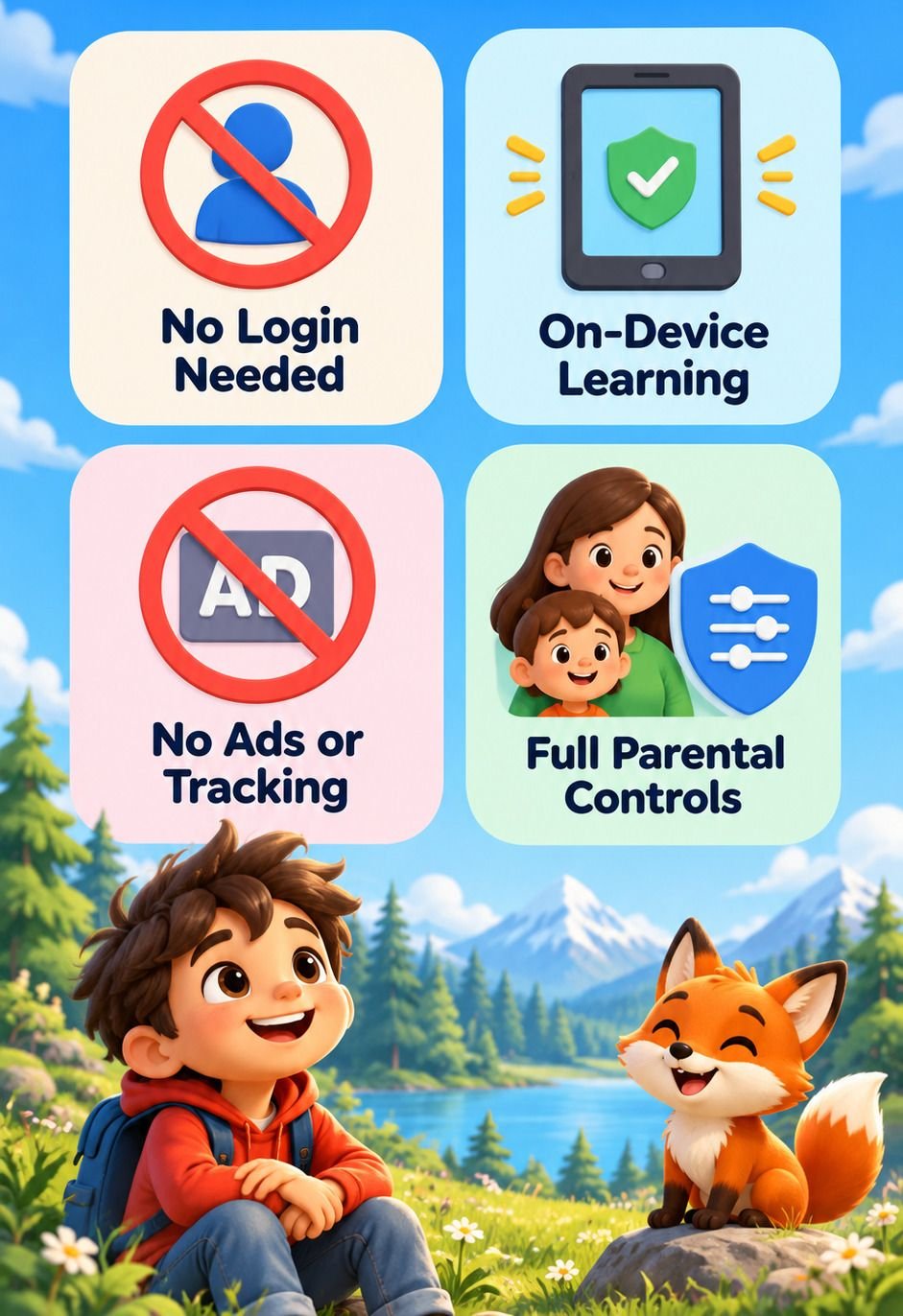
  • No login for kids. They tap their own name. A parent account is optional.
  • Learning on the device. Lessons, questions and the read-aloud voice all run on the iPhone or iPad, even offline. Progress syncs through your own iCloud.
  • No ads, no tracking. No ad networks and no third-party analytics or tracking tools. Kids' names reach our servers only if you choose to sync them between devices.
  • Parental controls. Settings, unlocking levels and the Parent Portal sit behind your PIN. Kids never see a price.

What we keep, and where →

Four promises: no login needed, on-device learning, no ads or tracking, full parental controls.

Plans

Free forever. One plan for everything else.

Free, forever

Level 1 of every subject, for one child, for as long as you like.

  • Level 1 of Math, Reading and Spelling at your child's grade
  • A 15-minute session a day in each subject
  • The whole Parent Portal: insights, progress and every question
  • No ads, ever

One subscription

Family Premium

Every subject and every level, on every device.

  • All six levels of Math, Reading and Spelling, Grades 1 to 6
  • Every iPhone and iPad in your family, with no limit on devices
  • Up to 4 kids
  • Sessions of 5 to 45 minutes, as many a day as they like
  • Monthly or yearly, shared with Family Sharing

During the beta, every family gets everything in Family Premium for free. Prices will be on the App Store at launch.

Ready to figure it out?

Join the beta on iPhone and iPad. Write to us and we'll send you an invitation.

Join the beta